
Who can use this?
- Gallabox admins managing AI Agents & Bots.
- Roles: Admin role
- Plans: Available on all plans that support Chat AI Agents.
Plan Availability
Available on all Gallabox plans that support Chat AI Agents. See Chat AI Agent for the channel-level plan breakdown.Before You Start
Make sure you have the following before beginning:- Admin access to AI Agents & Bots, since only admins can trigger migration for the account.
- A few minutes to review your existing v1 flows. The copy step is automatic, but you should know what each flow currently does so you can verify it carried over correctly.
- Time to test and publish each migrated flow afterward. Migrated flows land in Draft and won’t go live until you publish them individually.
Steps
1
Open the migration prompt
- Go to AI Agents & Bots in the left navigation of Gallabox.
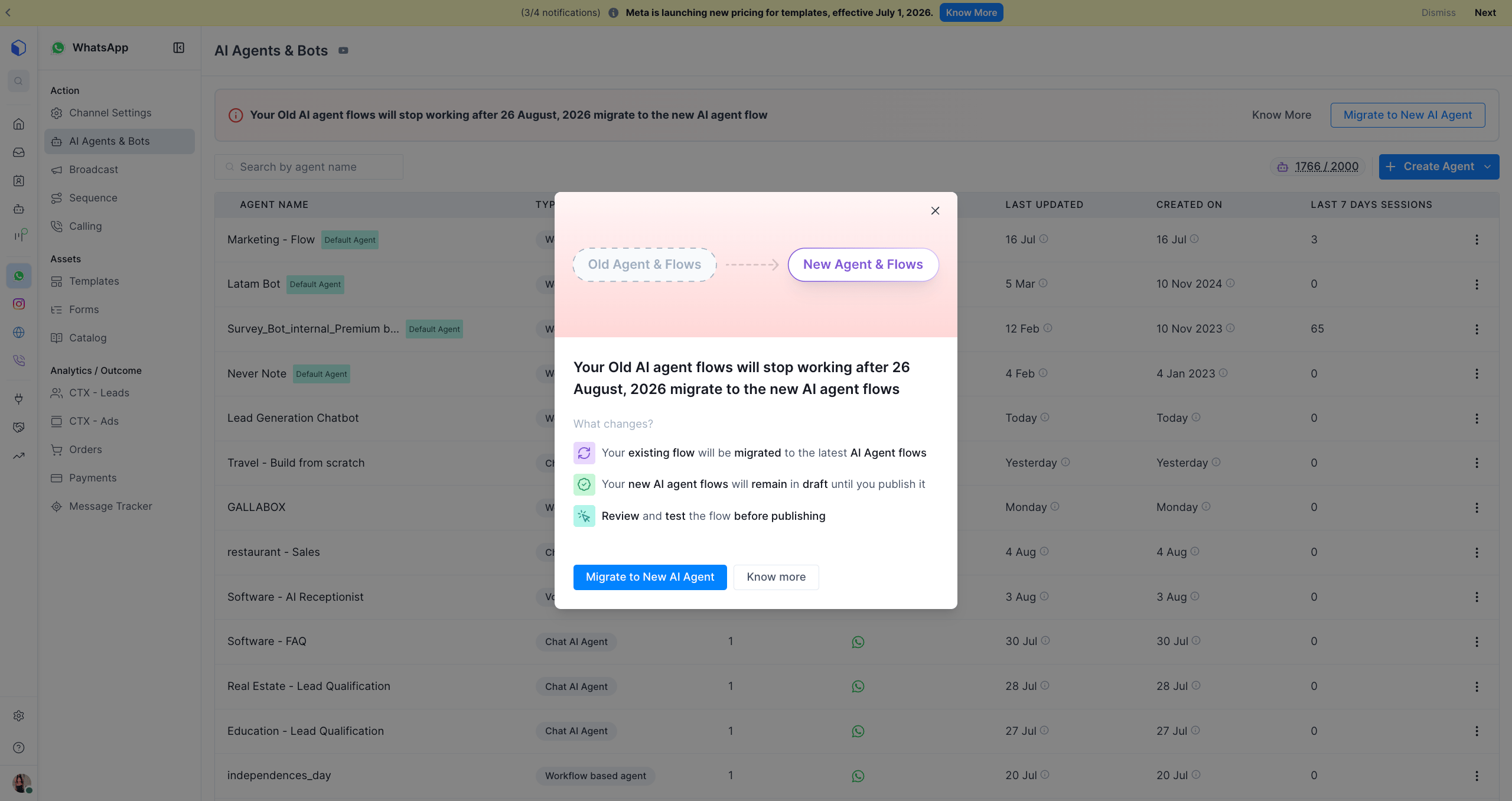
- At the top of the list, you’ll see a banner: _“Your Old AI agent flows will stop working after 26 August 2026. Migrate to the new AI agent flow.” _
- Click Migrate to New AI Agent in the banner.
2
Review what changes
- A dialog opens showing Old Agent & Flows → New Agent & Flows.
- Read the three points under What changes?:
- Your existing flow will be migrated to the latest AI Agent flows.
- Your new AI agent flows will remain in Draft until you publish them.
- Review and test the flow before publishing.
- Click Migrate to New AI Agent to proceed, or Know more to read further documentation first.
3
Confirm the migration
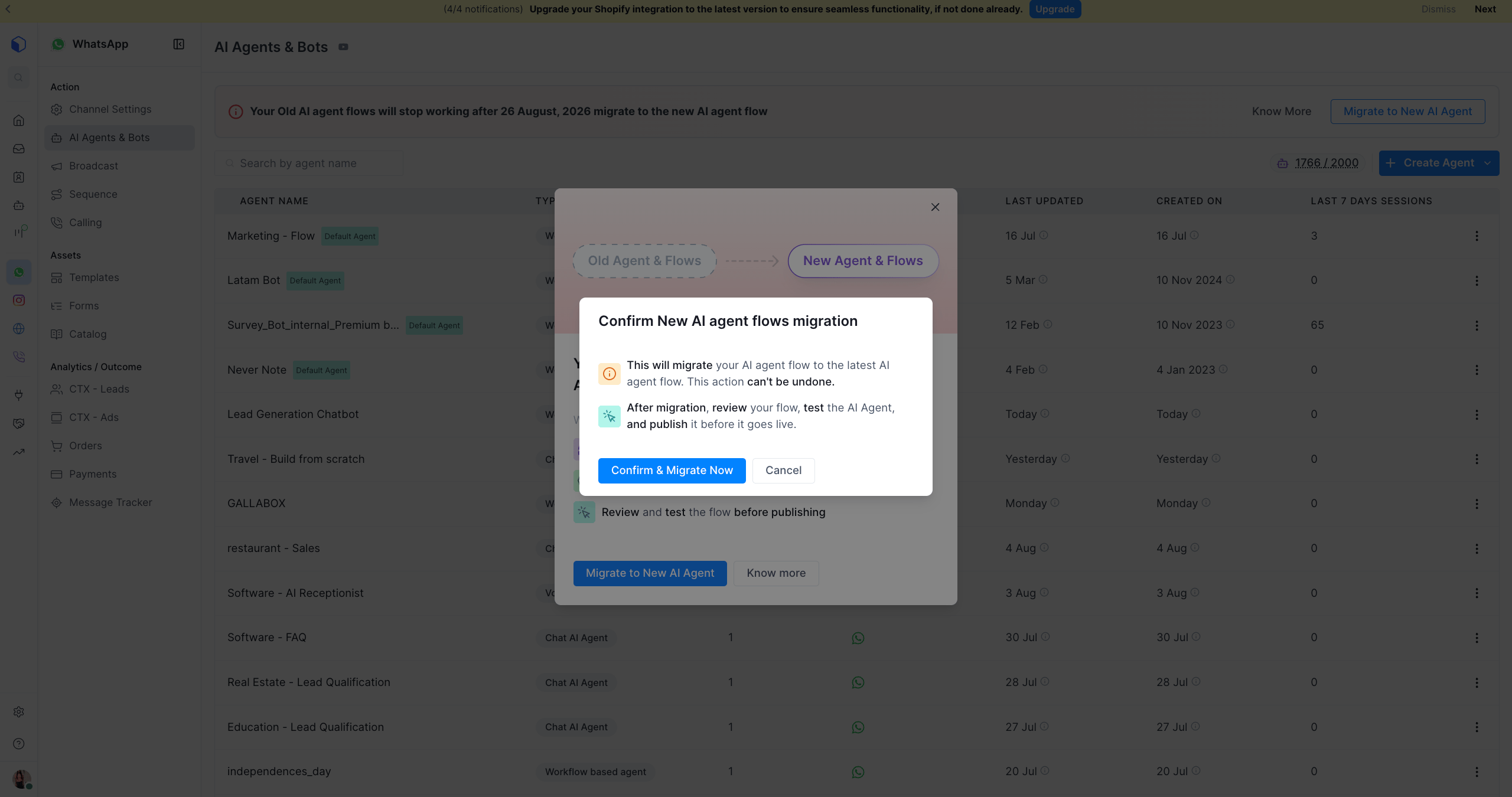
- A confirmation dialog opens: Confirm New AI agent flows migration.
- Read the notice carefully. This action can’t be undone once confirmed.
- Click Confirm & Migrate Now.
4
Wait for migration to complete
- A Migration queued notification appears: “All V1 AI flows on this account are being migrated to V2.”
- Migration runs in the background. You can keep using Gallabox while it completes.
- Refresh the AI Agents & Bots page after a few minutes to see your migrated flows.
5
Review, test, and publish each flow
- Open each migrated agent. It will be in Draft status.
- Review the Role, Goal, and Instructions fields to confirm they carried over as expected.
- Test the agent in the Test Widget using real questions your customers ask.
- Once you’re satisfied, publish the agent to make the v2 flow live.
Publishing is manual and per-agent. Your v1 flow keeps running exactly as before until you publish its v2 replacement, but v1 stops working entirely after August 26, 2026, regardless of whether you’ve published the v2 version by then. Don’t leave publishing until the last day.
[VERIFY: which fields and configuration migrate automatically (Role/Goal/Instructions, custom actions, Knowledge Base attachments, AI model settings) and which need to be manually re-checked after migration. Confirm with Engineering/Product before publishing this guide so Step 5 tells admins exactly what to double-check.]
Related Articles
- Chat AI Agent Overview, for agent setup, model settings, and provider versions
- Channel Behaviour, for how the agent behaves per channel
- Chat AI Agent FAQs, for common questions